Mini Grand Prix Unblocked
Qualify, pick tyres, watch the sky and nail your pit stop in a pocket-sized race weekend.

What is Mini Grand Prix?
Mini Grand Prix is an overhead single-seater racer that recreates a complete race weekend. After choosing a venue and a team, you post a qualifying time that sets your starting spot, then fight the five computer teams over a three-lap race. Wearing tyres, shifting weather, stored battery power and a compulsory stop all affect who wins.
- Category
- Racing Games
- Players
- 1 player
- Plays on
- Desktop / Chromebook
- Input
- Keyboard, Mouse
- Made by
- hexinhao (xhhdaxx)
- Checked
Mini Grand Prix fits a whole race weekend into a browser tab. You pick a venue from a 24-round season on a spinning globe, sign for one of the six made-up teams, and head out for one timed qualifying lap to earn your grid slot. Then comes a three-lap race where pure speed is only part of the story. Tyres fade, rain can roll in mid-race, a battery boost waits for the right straight, and every driver must pit once. It is a rare strategy-heavy racer that plays unblocked, and it rewards thinking as much as reflexes.
The Weekend, Step by Step
Home screen. Pick a venue from the calendar, or click its spot on the globe. Press Grand Prix Weekend to continue, or pick Time Trial for solo laps with a count you set.
Setup. Decide your team, the AI difficulty, the weather and your starting tyre compound.
Qualifying. Just you and the track for one flying lap. Your time decides where you line up.
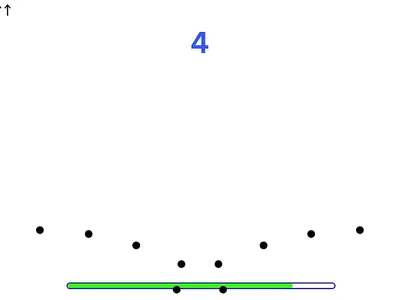
The race. Five red lights come on, then go out. Touch W before they’re all off and you are hit with a five-second jump-start penalty. Down the right side, a timing column ranks the field and shows the gap to each car.
Winning earns 25 championship points and second place 18, with 15, 12, 10 and 8 for third through sixth.
Track Limits and Penalties
Running wide costs speed in steps. Kerbs limit you to 90 percent, runoff areas to 80 and gravel to 70. Time penalties also land for causing a collision, overtaking while yellow flags are out, or leaving the track again and again.
One quirk to learn early: lifting off W doesn’t slow the car. It holds its pace until you brake with D, reverse, or run onto slower surfaces.
Mini Grand Prix controls
| To do this | Keyboard | Mouse |
|---|---|---|
| Turn left or right | Left and Right arrows | — |
| Throttle | W | — |
| Brake on track | D | — |
| Hard stop in the pit lane | S | — |
| Back up | X | — |
| Spend the battery boost | Space | — |
| Call for a pit stop, then choose a tyre at your box | P, then 1 to 5 | — |
| Pause or return to the menu | Escape | — |
| Go again after a session | R | — |
| Choose circuit, team and options | — | Use the menus, or drag the globe |
Strategy Notes from the Pit Wall
Tyres. Softs give the most grip but wear out quickest; Hards survive longer without ever reaching the same pace. Every compound loses a little top speed each lap. Intermediates and Wets are for rain.
Weather. Watch for the forecast banner. When it warns that rain is due in under a minute, time your stop so you switch rubber as the track gets wet.
Pitting. Tap P, then steer along the PIT IN marking, keeping to the lane limiter. Park in your team’s box and choose a compound with the number keys: 1 Soft, 2 Medium, 3 Hard, 4 Intermediate, 5 Wet. Fitting fresh rubber of the same type still counts as your mandatory change.
Battery. Medium-strength braking puts back the most energy, while wheel lock-ups and wet running harvest less. Pressing Space dumps everything stored in one go: a full battery equals five seconds of extra drive, a half-full one about two and a half. Use it where the track runs straight for longest.
Garage. There are four chassis to pick from, ranging from a slippery low-drag car to a grippy high-downforce one with stronger braking and cornering. A points budget can then be shared out between five stats: pickup, top end, stopping power, turn-in and energy harvesting.
Who It’s For
If you enjoy motorsport strategy, this one leans hard into planning: it feels like a manager game and a driving game at once. Menus can be switched between English and Chinese. For simpler arcade laps, try Tiny Track Racer, or browse all racing games.
Mini Grand Prix: questions players ask
Why is W the gas and D the brake in Mini Grand Prix?
That is the author's layout. W is the throttle, D slows you on track, S is reserved for stopping in the pits, and X puts the car in reverse. Steering uses the arrow keys, so your left hand handles pedals and your right hand steers.
What happens if I skip the pit stop?
In the three-lap race at least one tyre change at your own box is required. Missing it adds 20 seconds to your finishing time, which usually drops you down the order.
Why did the game give me a five-second penalty?
Most likely a jump start. Pressing W while any of the five red lights are still lit counts as one. Other penalties come from causing contact, overtaking under a yellow flag or going off track repeatedly.
Does my season progress save?
Yes. Your points, the championship table, any liveries you have unlocked and your fastest laps are all stored in the browser, so you can come back to the same season later on that device.
Can I play Mini Grand Prix on a phone?
No. Driving is keyboard-only, with nothing to tap on screen. Any laptop or desktop, including a Chromebook, will do.
Credits and license
Mini Grand Prix was created by hexinhao (xhhdaxx) and released as open source. FreezeNova hosts a lightly adapted copy on its own server, together with the original license file.
- Source code: github.com/xhhdaxx (original project)
- Code license: MIT
- Art & audio: MIT (cars and tracks drawn in code, no audio); world map data from Natural Earth, public domain
- Our changes: We locked the game to keyboard mode, which disables the use-your-phone-as-a-controller option that relies on the author's own local server. The code is otherwise untouched.